
Mobile App Development
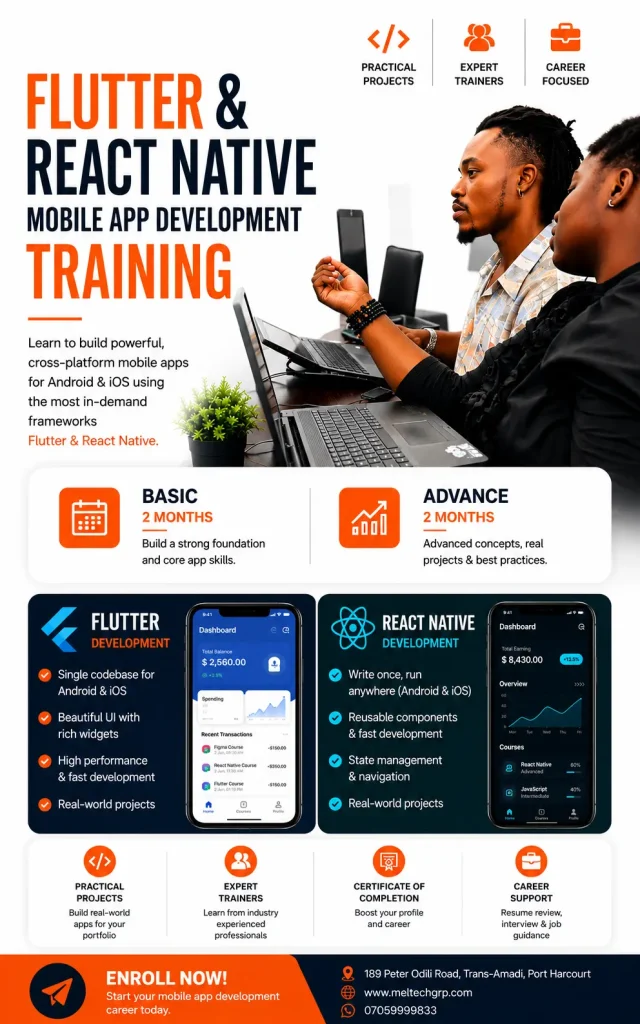
Hands-on mobile app development training in Port Harcourt
3 levels per track
Foundation, Intermediate, Advanced
React Native or Flutter
Choose your track
Classes from 10am
Schedule confirmed on enrolment
Certificate
Of completion at every level
From ₦250,000
Flutter: ₦250,000 · ₦300,000 · ₦400,000
Foundation, Intermediate and Advanced
- Live, instructor-led classes
- Test on real phones and a capstone app at every level
- Code review from certified trainers
- Certificate of completion
React Native or Flutter?
Choose React Native if you
- Already know JavaScript or React, or have done Full Stack Web Development
- Want web and mobile skills together
- Want to work on the kind of client mobile projects MEL builds
Choose Flutter if you
- Are starting from nothing and want one language and one tool
- Want consistent behaviour on every phone
- Prefer a strongly typed, object-oriented language
Choose your track and level.
React Native
Foundation
₦250,000
- 4 weeks · 12 sessions of 3 hours
- For web developers and Full Stack students moving to mobile
- Prerequisite: modern JavaScript and React basics, or a placement test
- Capstone: a multi-screen app with API data and saved state, installed as an APK
- Leads to: React Native Intermediate
Intermediate
₦300,000
- 8 weeks · 24 sessions of 3 hours
- For Foundation graduates, web developers and junior mobile developers
- Prerequisite: React Native Foundation or a placement test
- Capstone: a production-style app with login, server data, device features and tests
- Leads to: React Native Advanced
Advanced
₦400,000
- 12 weeks · 36 sessions of 3 hours
- For Intermediate graduates and working mobile developers
- Prerequisite: React Native Intermediate or a placement test
- Capstone: an app in Google Play internal or closed testing with payments, CI/CD and monitoring
- Leads to: junior to mid-level mobile roles, freelance and client work
Flutter
Foundation
₦250,000
- 6 weeks · 18 sessions of 3 hours
- For complete beginners, career changers and anyone who wants one language and one toolkit
- Prerequisite: basic computer skills, no programming needed
- Fast-track: Python Foundation graduates join a 4-week cohort
- Capstone: a multi-screen app with local storage and an API, installed as an APK
- Leads to: Flutter Intermediate
Intermediate
₦300,000
- 8 weeks · 24 sessions of 3 hours
- For Foundation graduates, developers moving to Flutter and junior mobile developers
- Prerequisite: Flutter Foundation or a placement test
- Capstone: a production-style app with login, server data, offline reading and tests
- Leads to: Flutter Advanced
Advanced
₦400,000
- 12 weeks · 36 sessions of 3 hours
- For Intermediate graduates and working mobile developers
- Prerequisite: Flutter Intermediate or a placement test
- Capstone: an app in Google Play internal or closed testing with payments, CI/CD and monitoring
- Leads to: junior to mid-level mobile roles, freelance and client work
What you will learn, level by level.
React Native syllabus.
React Native Foundation: Foundations
Week 1: Setup and core components
- How React Native draws real native views, and what Expo gives you
- Run an app on your own phone and an emulator
- View, Text, Image, StyleSheet and Flexbox; Pressable and TextInput
Week 2: Layout, lists and forms
- Responsive layout, safe areas and Platform.select
- FlatList, SectionList, search and pull-to-refresh
- Validated forms, the keyboard, a theme file and dark mode
Week 3: Navigation and shared state
- File-based navigation with Expo Router: stacks, tabs and route parameters
- Context, useReducer and custom hooks
- Mini project: a shop flow with a cart that works across screens
Week 4: Data, storage, build and capstone
- Fetching API data with loading, error and empty states
- AsyncStorage, a first look at SecureStore, and DevTools debugging
- Building a preview APK with EAS Build; capstone demos on real phones
React Native Intermediate: Developer
Weeks 1 to 2: TypeScript, structure and server data
- TypeScript for components, hooks and API responses
- Feature-first structure, ESLint, Prettier, Git pull requests and Figma handoff
- Axios clients and TanStack Query: caching, pagination and optimistic updates
Weeks 3 to 4: State, forms and authentication
- Zustand, React Hook Form and Zod, and a reusable component library
- Login, secure token storage, protected routes, silent token refresh and biometrics
- A 2-hour mid-course practical, built unaided
Weeks 5 to 6: Device features and UI quality
- Camera, image picker, location and maps, notifications and deep links
- Animation with Reanimated, gestures, accessibility and performance basics
Weeks 7 to 8: Offline, testing and capstone
- Firebase or Supabase, SQLite or MMKV and offline reading
- Jest and React Native Testing Library
- Capstone build, code review and live demos on real phones
React Native Advanced: Production
Phase A, Weeks 1 to 2: Under the hood
- The New Architecture, JSI, Fabric and Hermes
- Development builds, config plugins and custom native modules
- Wrapping a third-party SDK
Phase B, Weeks 3 to 4: Performance and interaction
- Profiling with React Native DevTools, FlashList and start-up time
- Reanimated, gestures and complex interactions
- A 3-hour mid-course practical
Phase C, Weeks 5 to 7: Data, payments and security
- Offline-first design, sync queues and WebSockets
- Paystack or Flutterwave sandbox, server-side verification, webhooks and KYC flows
- OWASP Mobile Top 10, secure storage, certificate pinning and code protection
Phase D, Weeks 8 to 10: Quality and release
- Unit, component and end-to-end tests with Maestro or Detox
- EAS Build, app signing and Google Play internal and closed testing; iOS release as a trainer-led demo
- CI/CD with GitHub Actions, over-the-air updates, Sentry and analytics
Phase E, Weeks 11 to 12: Capstone and career
- Store policy, Google Play data safety and the Nigeria Data Protection Act
- Capstone build, release candidate and demo day
- Portfolio, GitHub, CV and mock technical interview
Flutter syllabus.
Flutter Foundation: Dart & Flutter Foundations
Week 1: Dart basics
- Setup with the Flutter SDK, Android Studio and VS Code
- Variables, types, null safety and control flow
- Labs: a naira-to-dollar converter and a grade classifier
Week 2: Functions, collections and classes
- Functions, named parameters and arrow functions
- List, Set and Map, and map, where and fold
- Classes, constructors and enums
Week 3: Object-oriented Dart, async and your first Flutter app
- Inheritance, abstract classes and mixins
- Future, async/await and error handling
- Hello, Flutter: Scaffold, AppBar and hot reload on a real phone
Week 4: Widgets, layout and input
- Everything is a widget: the widget tree, Container, Card and theming
- Row, Column, Stack and Expanded
- ListView.builder, GridView and TextField
Week 5: State, forms and navigation
- StatefulWidget and setState
- Forms with validators
- Navigator, named routes, tabs and drawers
Week 6: Data, storage and capstone
- The http package, JSON models and FutureBuilder
- shared_preferences, DevTools and building a release APK
- Capstone demos on real phones and code review
Flutter Intermediate: Developer
Weeks 1 to 2: Modern Dart, structure and Riverpod
- Records, pattern matching and sealed classes
- Feature-first structure, lint rules, Git pull requests and Material 3 theming
- Riverpod with AsyncNotifier, plus a Bloc overview
Weeks 3 to 4: Data layer, navigation and authentication
- Dio, typed models, repositories, pagination and caching
- go_router, shell routes and route guards
- Login, secure token storage and refresh; a 2-hour mid-course practical
Weeks 5 to 6: Offline, device features and Firebase
- SQLite with drift, offline-aware screens and biometrics
- Camera, location and permission handling
- Firebase Authentication, Firestore and push notifications
Weeks 7 to 8: UI craft, testing and capstone
- Responsive and adaptive UI, animation and accessibility
- Unit and widget tests with mocktail
- Capstone build, code review and live demos on real phones
Flutter Advanced: Production
Phase A, Weeks 1 to 3: Architecture and internals
- Layered architecture, modules and dependency injection
- The widget, element and render trees, isolates and streams
- Profiling with Flutter DevTools, slivers and start-up time
Phase B, Week 4: Advanced UI
- CustomPainter, explicit animations, gestures, Lottie and Rive
- A 3-hour mid-course practical
Phase C, Weeks 5 to 6: Platform, data and real-time
- Platform channels, Pigeon and a small Kotlin plugin
- Offline-first design, sync queues, conflict handling and WebSockets
Phase D, Weeks 7 to 8: Payments and security
- Paystack or Flutterwave sandbox, server-side verification, webhooks and KYC flows
- OWASP Mobile Top 10, secure storage, certificate pinning and code obfuscation
Phase E, Weeks 9 to 10: Quality and release
- Golden and integration tests, and testing in CI
- Flavors, app signing and Google Play internal and closed testing; iOS release as a trainer-led demo
- CI/CD with GitHub Actions or Codemagic, Crashlytics or Sentry, analytics
Phase F, Weeks 11 to 12: Capstone and career
- Store policy, Google Play data safety and the Nigeria Data Protection Act
- Capstone build, release candidate and demo day
- Portfolio, GitHub, CV and mock technical interview
Finish every level with an app you built.
React Native
Multi-Screen Mobile App
Level 1 capstone: an app with at least 4 screens, tabs and a stack, data from an API with loading and error states, a validated form and saved state, installed as an APK on a real phone.
Production-Style Mobile App
Level 2 capstone: an app with TypeScript, login with secure token storage, server data with pagination, two device features, offline reading and at least 10 tests, connected to a real backend.
Published Production App
Level 3 capstone: a signed release build live in Google Play internal or closed testing, with a server-verified payment or comparable integration, offline support, end-to-end tests, CI and crash reporting, defended live.
Flutter
Multi-Screen Flutter App
Level 1 capstone: an app with at least 4 screens, 3 model classes, data from an API with loading and error states, a validated form and saved data, installed as a release APK on a real phone.
Production-Style Flutter App
Level 2 capstone: an app with a feature-first structure, Riverpod, login with secure tokens and route guards, server data with pagination, offline reading with drift and at least 12 tests.
Published Production App
Level 3 capstone: a signed release bundle live in Google Play internal or closed testing, with a server-verified payment or comparable integration, offline support, integration and golden tests, CI and crash reporting, defended live.
How you are assessed.
Foundation
Quizzes 20% · Assignments 30% · Capstone demo 50%. Pass mark 60% and a capstone that installs and runs.
Intermediate
Quizzes 15% · Assignments 25% · Mid-course practical 20% · Capstone demo 40%.
Advanced
Quizzes 10% · Assignments 20% · Mid-course practical 20% · Capstone demo 50%.
Know what you need.
Where to start
Flutter Foundation: basic computer skills only.
React Native Foundation: modern JavaScript and React basics, or a placement test.
Intermediate and Advanced: the level before, or a placement test.
What you need
A laptop with 16 GB of RAM is comfortable for Android emulators; 8 GB works if you test on a physical Android phone. Labs target Android first and every session ends with the app running on a device or emulator.
Build with a real backend
Intermediate and Advanced apps connect to a real REST API. You can pair with a Python Advanced backend student on a joint capstone, and build screens from UI/UX Design files.
Where graduates go next
Advanced graduates are ready for junior to mid-level mobile roles, freelance and client work, and MEL project placements.
Before you apply.
Do I need programming experience?
It depends on the track. Flutter Foundation starts from zero and needs only basic computer skills. React Native Foundation expects modern JavaScript and React basics, which you can get from our Full Stack Web Development course, or by passing a short placement test. Intermediate and Advanced levels need the level before them or a placement test.
Should I choose React Native or Flutter?
Choose React Native if you already know JavaScript or React, want web and mobile skills together, or want to work on the kind of client mobile projects MEL builds. Choose Flutter if you are starting from nothing and want one language, one tool and consistent behaviour, or you prefer a strongly typed, object-oriented language. If you are unsure, pick React Native if you have done Full Stack Web Development, otherwise Flutter. We recommend one track per term.
How long is each level and what does it cost?
React Native: Foundation is 4 weeks (12 sessions of 3 hours) at ₦250,000, Intermediate is 8 weeks (24 sessions) at ₦300,000, and Advanced is 12 weeks (36 sessions) at ₦400,000. Flutter: Foundation is 6 weeks (18 sessions) at ₦250,000, Intermediate is 8 weeks at ₦300,000, and Advanced is 12 weeks at ₦400,000.
What will I be able to do after each level?
After Foundation you can build a multi-screen app with lists, forms, navigation, saved data and API calls and install it on a real phone. After Intermediate you can build a typed, authenticated, API-driven app with device features, offline reading and tests. After Advanced you can design, secure, test, release and maintain a production-grade app.
Will I publish an app to the Play Store?
Yes. The Advanced capstone is a signed release build live in Google Play internal or closed testing. iOS release steps, including TestFlight and App Store review, are covered as a trainer-led demo.
What equipment do I need?
A laptop with 16 GB of RAM is comfortable for Android emulators. 8 GB works if you test on a physical Android phone and use a lighter emulator. Labs target Android first, and we test on real phones wherever possible.
Do I get a certificate?
Yes. You receive a certificate of completion when you finish a level.
What time are classes?
Classes start from 10am. The exact schedule depends on the package you choose, and our admissions team will confirm it when you apply.
How are classes delivered and assessed?
Classes are live and instructor-led, taught by certified, experienced trainers, with code running on a device or emulator in every session. You are assessed through quizzes, assignments and a capstone app that you demonstrate live on a real phone.
How do I apply and pay?
Complete the application form at the bottom of this page or message us on WhatsApp. Our payment terms and conditions are linked in the tuition card at the top of this page.
- Live, instructor-led classes from 10am
- Test on real phones in every level
- A capstone app at every level
- Code review from certified trainers
- Quizzes, assignments and a live demo
- Certificate of completion
Call +234 705 9999833





Start building mobile apps.
More Courses
Explore More Courses
Build complete web applications with HTML, CSS, React, Next.js, databases and live deployment.
Create intuitive, user-centred digital experiences with Figma, prototyping and real projects.
Learn Python from scratch and build real programs, from your first line of code to web apps.
